
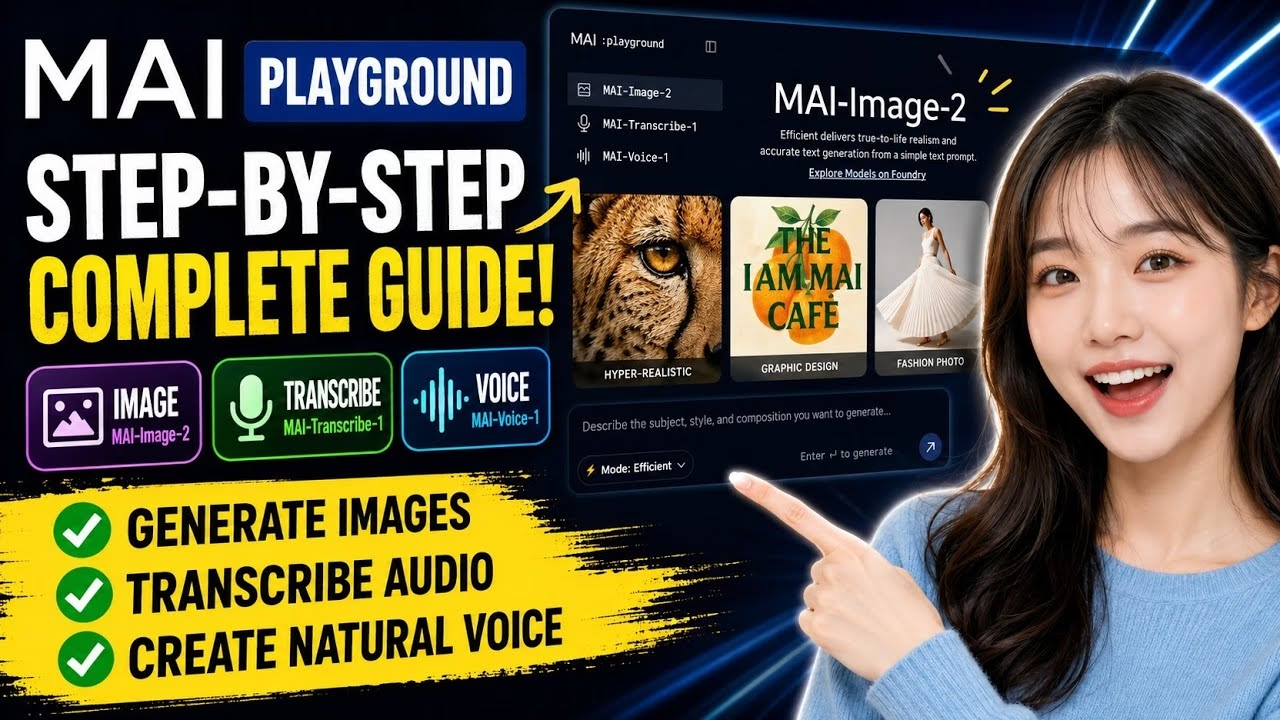
FREE AI Image, Voice & Transcription Tool | MAI Playground Full Tutorial

Generative Artificial Intelligence is redefining content creation across media types, including visual graphics, audio transcripts, and text-to-speech synthesis. This tutorial provides a comprehensive walkthrough of MAI Playground, a cutting-edge, web-based sandbox offering free access to experimental AI modules. We will explore how to master three core utilities: MAI Image 2, MAI Transcribe 1, and MAI Voice 1, providing sample prompts and best practices to maximize your creative output.
Table of Contents
- 1. Introduction to MAI Playground
- 2. Visual Creation with MAI Image 2
- 3. Recommended Prompts for Image Generation
- 4. Audio Transcription via MAI Transcribe 1
- 5. Speech Synthesis with MAI Voice 1
- 6. Tested Script Templates for Text-to-Speech
- 7. Accessing Advanced Controls (Foundry)
- 8. Frequently Asked Questions (FAQ)
1. Introduction to MAI Playground
MAI Playground is a developer-friendly sandbox designed to showcase experimental machine learning models. Built to let users experiment without local hardware barriers, the platform groups multi-modal utilities—spanning computer vision, automatic speech recognition (ASR), and neural speech synthesis—into a unified, web-accessible dashboard. Whether you need to generate high-fidelity marketing assets, transcribe hours of user research interviews, or draft custom voiceovers, MAI Playground provides the requisite tools out-of-the-box.
2. Visual Creation with MAI Image 2
MAI Image 2 is a state-of-the-art latent diffusion model optimized for photorealism, layout consistency, and precise typography rendering. Traditional image generators often struggle to incorporate readable text into images; MAI Image 2 handles typographical elements natively, making it a powerful utility for graphic design projects. To generate an image, locate the MAI Image 2 tab, enter a descriptive text prompt, configure the desired aspect ratio (such as 16:9 for landscape or 1:1 for square), and submit the request. If you are iterating quickly, you can toggle Efficient Mode to speed up rendering times.
3. Recommended Prompts for Image Generation
To help you test the limits of the model, here are three pre-written, highly descriptive prompts designed for different stylistic outputs:
Hyperrealistic Wildlife Photography:
Extreme macro photograph of a cheetah's face zoomed tightly into the eye and surrounding fur. Individual hair strands clearly visible with ultra-fine detail and glossy moisture on the surface. Aspect ratio: 16:9.
Artistic Graphic Design (Poster with Text):
A square event poster with a cream background, featuring a large textured orange illustration in the center. The headline reads, "The IMMA Cafe." Designed with an artisanal Scandinavian design sensibility. Aspect ratio: 1:1.
Editorial Fashion Photography:
Photorealistic editorial fashion photograph featuring a sculptural pleated white skirt filling most of the frame. Strong natural midday sunlight creates a crisp shadow on the ground. Aspect ratio: 4:3.
4. Audio Transcription via MAI Transcribe 1
MAI Transcribe 1 utilizes automatic speech recognition (ASR) neural networks to translate audio recordings into clean text transcriptions. To run transcriptions:
- Open the MAI Transcribe 1 module on the dashboard.
- Select Input Method: Tap the microphone icon to record audio live through your browser, or drag and drop an existing audio file (supported formats include MP3, WAV, and M4A) directly into the upload area.
- Export Text: Once the audio is uploaded, the ASR pipeline processes the data and outputs a readable transcription, which can be copied directly to your clipboard.
5. Speech Synthesis with MAI Voice 1
MAI Voice 1 is a natural text-to-speech (TTS) engine designed to convert plain text scripts into realistic spoken audio. The engine simulates human-level prosody, adjusting pitch, pacing, and intonation. To synthesize speech:
- Go to the MAI Voice 1 module.
- Type or paste your text into the script editor. To insert a line break without triggering rendering, press
Shift + Enter. - Choose a specific voice profile (such as Moss) from the dropdown list.
- Choose a speaking style or emotional tone (such as Joy, Dramatic, or Excited) to match your content’s mood.
- Click enter to synthesize. Play the audio or download the generated
.wavfile.
6. Tested Script Templates for Text-to-Speech
Use these test scripts to evaluate the voice dynamics and emotional inflection of MAI Voice 1:
Motivational Style (High Energy, Assertive):
"All right, listen up. 10 seconds of focus. Engage your core. Keep that back straight and breathe. Let's go. Push through."
Dramatic Style (Measured, Slow Pace, Low Register):
"Good friends, attend a moment's breath of thought. The hour is brief, yet within such fleeting time, may courage bloom."
Excited Style (Rapid Pace, Rising Intonation):
"Here we go. The final moments. The crowd is on their feet. The tension is unbelievable. One last push, and there it is!"
7. Accessing Advanced Controls (Foundry)
Because these modules are experimental, minor hallucinations or errors may occur in generated images or transcriptions. If you need specialized settings, custom model variants, or API integrations, look for the Explore models on foundry button situated in the tool panels. Clicking this will lead you to the complete foundry backend, allowing developers to customize temperature, sampling rate, and seed keys directly.
8. Frequently Asked Questions (FAQ)
Q1: Are there any monthly usage limits or subscription fees to use MAI Playground?
A: Currently, MAI Playground is open for public testing as a free preview. However, since the tools are hosted on shared servers, rate limits may be applied during peak hours to ensure stable access for all users.
Q2: Can I download the generated audio and images to use for commercial projects?
A: Yes, you can download all output files. However, because these are experimental models under development, you should verify the copyright and licensing guidelines on the platform’s terms of service before using them in commercial campaigns.
Q3: How do I improve the accuracy of MAI Transcribe 1 for audio that has thick accents?
A: If the ASR system misses specific words, try uploading high-bitrate files (such as uncompressed WAV files) and using external audio editing tools to reduce background noise prior to uploading them to the sandbox.