
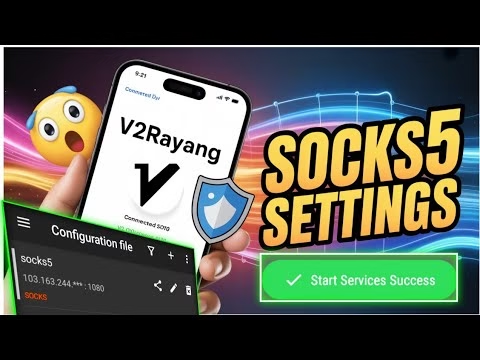
How to Use Socks5 Server on V2rayNG for Secure Browsing | Step by Step Android Tutorial

- Remarks: Enter a descriptive name (e.g.
Socks5 Tunnel). - Address: Input the server host IP.
- Port: Enter the SOCKS5 server port.
- User: Enter your account username.
- Password: Enter your account password.
- Save the profile, tap on it in the config list to select it, and click the V2rayNG connect button. Approve the Android system VPN dialog. The connection is now active.
FAQ & Troubleshooting Guide
1. Why does my V2rayNG connection fail with a Socks5 profile?
This is often caused by an expired server account or a blocked port. Free accounts typically expire after 3 to 7 days. If the credentials are valid, check that the port is open on your mobile network.
2. Is Socks5 more secure than a standard Vmess connection?
Socks5 encrypts and routes connection traffic but doesn’t wrap it in complex VMess protocols. VMess is highly optimized to bypass Deep Packet Inspection (DPI) firewalls, making VMess more effective at bypassing censorship, while Socks5 is excellent for general secure browsing.
3. How do I test my latency in V2rayNG?
Open the app menu and select **Real delay test**. V2rayNG will ping the server node and display the latency in milliseconds (ms), verifying that your connection is active and stable.
- Open the **V2rayNG** application.
- Tap the **+ (plus)** icon in the top right corner and select **Type manually [Socks]**.
- Configure the profile settings:
- Remarks: Enter a descriptive name (e.g.
Socks5 Tunnel). - Address: Input the server host IP.
- Port: Enter the SOCKS5 server port.
- User: Enter your account username.
- Password: Enter your account password.
- Save the profile, tap on it in the config list to select it, and click the V2rayNG connect button. Approve the Android system VPN dialog. The connection is now active.
FAQ & Troubleshooting Guide
1. Why does my V2rayNG connection fail with a Socks5 profile?
This is often caused by an expired server account or a blocked port. Free accounts typically expire after 3 to 7 days. If the credentials are valid, check that the port is open on your mobile network.
2. Is Socks5 more secure than a standard Vmess connection?
Socks5 encrypts and routes connection traffic but doesn’t wrap it in complex VMess protocols. VMess is highly optimized to bypass Deep Packet Inspection (DPI) firewalls, making VMess more effective at bypassing censorship, while Socks5 is excellent for general secure browsing.
3. How do I test my latency in V2rayNG?
Open the app menu and select **Real delay test**. V2rayNG will ping the server node and display the latency in milliseconds (ms), verifying that your connection is active and stable.
- Open your browser and navigate to the official **UDP Custom** website.
- Open the navigation menu, select **Services**, and select **Socks5 Server**.
- Choose a server node physically close to your region, input your username and password, and create the account.
- Copy the server credentials (Host IP, Port, Username, and Password) to your clipboard.
Step 3: Configuring V2rayNG Profile
Map the server details into the client dashboard:
- Open the **V2rayNG** application.
- Tap the **+ (plus)** icon in the top right corner and select **Type manually [Socks]**.
- Configure the profile settings:
- Remarks: Enter a descriptive name (e.g.
Socks5 Tunnel). - Address: Input the server host IP.
- Port: Enter the SOCKS5 server port.
- User: Enter your account username.
- Password: Enter your account password.
- Save the profile, tap on it in the config list to select it, and click the V2rayNG connect button. Approve the Android system VPN dialog. The connection is now active.
FAQ & Troubleshooting Guide
1. Why does my V2rayNG connection fail with a Socks5 profile?
This is often caused by an expired server account or a blocked port. Free accounts typically expire after 3 to 7 days. If the credentials are valid, check that the port is open on your mobile network.
2. Is Socks5 more secure than a standard Vmess connection?
Socks5 encrypts and routes connection traffic but doesn’t wrap it in complex VMess protocols. VMess is highly optimized to bypass Deep Packet Inspection (DPI) firewalls, making VMess more effective at bypassing censorship, while Socks5 is excellent for general secure browsing.
3. How do I test my latency in V2rayNG?
Open the app menu and select **Real delay test**. V2rayNG will ping the server node and display the latency in milliseconds (ms), verifying that your connection is active and stable.
- Open the Google Play Store and search for
v2rayNG. - If not available in your region, open your browser, search for
UDP Custom, and navigate to the official website’s download page. - Download the official APK installation package and install it.
- Launch the application to land on the main home screen.
Step 2: Generating Socks5 Server Credentials
To establish a connection, generate account details from a high-speed provider:
- Open your browser and navigate to the official **UDP Custom** website.
- Open the navigation menu, select **Services**, and select **Socks5 Server**.
- Choose a server node physically close to your region, input your username and password, and create the account.
- Copy the server credentials (Host IP, Port, Username, and Password) to your clipboard.
Step 3: Configuring V2rayNG Profile
Map the server details into the client dashboard:
- Open the **V2rayNG** application.
- Tap the **+ (plus)** icon in the top right corner and select **Type manually [Socks]**.
- Configure the profile settings:
- Remarks: Enter a descriptive name (e.g.
Socks5 Tunnel). - Address: Input the server host IP.
- Port: Enter the SOCKS5 server port.
- User: Enter your account username.
- Password: Enter your account password.
- Save the profile, tap on it in the config list to select it, and click the V2rayNG connect button. Approve the Android system VPN dialog. The connection is now active.
FAQ & Troubleshooting Guide
1. Why does my V2rayNG connection fail with a Socks5 profile?
This is often caused by an expired server account or a blocked port. Free accounts typically expire after 3 to 7 days. If the credentials are valid, check that the port is open on your mobile network.
2. Is Socks5 more secure than a standard Vmess connection?
Socks5 encrypts and routes connection traffic but doesn’t wrap it in complex VMess protocols. VMess is highly optimized to bypass Deep Packet Inspection (DPI) firewalls, making VMess more effective at bypassing censorship, while Socks5 is excellent for general secure browsing.
3. How do I test my latency in V2rayNG?
Open the app menu and select **Real delay test**. V2rayNG will ping the server node and display the latency in milliseconds (ms), verifying that your connection is active and stable.
Bypassing firewalls and maintaining network privacy often requires combining lightweight proxy clients with secure routing. **V2rayNG** is a highly versatile Android client supporting V2Ray protocols. While it is commonly used with VMess or VLess profiles, V2rayNG also natively supports **Socks5** server configurations, allowing users to route their traffic over secure proxy tunnels.
This technical guide details the installation of V2rayNG, how to generate a secure Socks5 profile, and configure the connection step-by-step.
Table of Contents
- Video Tutorial
- Step 1: Installing V2rayNG Client
- Step 2: Generating Socks5 Server Credentials
- Step 3: Configuring V2rayNG Profile
- Frequently Asked Questions & Troubleshooting
Video Tutorial
Step 1: Installing V2rayNG Client
First, install the client application on your device:
- Open the Google Play Store and search for
v2rayNG. - If not available in your region, open your browser, search for
UDP Custom, and navigate to the official website’s download page. - Download the official APK installation package and install it.
- Launch the application to land on the main home screen.
Step 2: Generating Socks5 Server Credentials
To establish a connection, generate account details from a high-speed provider:
- Open your browser and navigate to the official **UDP Custom** website.
- Open the navigation menu, select **Services**, and select **Socks5 Server**.
- Choose a server node physically close to your region, input your username and password, and create the account.
- Copy the server credentials (Host IP, Port, Username, and Password) to your clipboard.
Step 3: Configuring V2rayNG Profile
Map the server details into the client dashboard:
- Open the **V2rayNG** application.
- Tap the **+ (plus)** icon in the top right corner and select **Type manually [Socks]**.
- Configure the profile settings:
- Remarks: Enter a descriptive name (e.g.
Socks5 Tunnel). - Address: Input the server host IP.
- Port: Enter the SOCKS5 server port.
- User: Enter your account username.
- Password: Enter your account password.
- Save the profile, tap on it in the config list to select it, and click the V2rayNG connect button. Approve the Android system VPN dialog. The connection is now active.
FAQ & Troubleshooting Guide
1. Why does my V2rayNG connection fail with a Socks5 profile?
This is often caused by an expired server account or a blocked port. Free accounts typically expire after 3 to 7 days. If the credentials are valid, check that the port is open on your mobile network.
2. Is Socks5 more secure than a standard Vmess connection?
Socks5 encrypts and routes connection traffic but doesn’t wrap it in complex VMess protocols. VMess is highly optimized to bypass Deep Packet Inspection (DPI) firewalls, making VMess more effective at bypassing censorship, while Socks5 is excellent for general secure browsing.
3. How do I test my latency in V2rayNG?
Open the app menu and select **Real delay test**. V2rayNG will ping the server node and display the latency in milliseconds (ms), verifying that your connection is active and stable.